Ontario / Practical guides
Do the day's admin by replying to one email from the truck
Logging in to answer a one line question costs more than the question is worth, so it waits until night. Your business has an email address: ask it what is outstanding and the answer comes back with your own invoices, jobs and calls in it.
Browse all Ontario guidesPut this into practice
Explore a working business
Put the people, records and day-to-day work together in a sample business.
The admin does not get done during the day because during the day you are working. It gets done at night, badly, on a laptop, after a full day on site, which is why it mostly does not get done at all.
The reason is not that the software is hard. It is that logging in to answer a one line question costs more than the question is worth. "What is outstanding" is ten seconds of thought and four minutes of finding the screen.
This page is about the version where you ask by email and the answer comes back with your own numbers in it.
How contractors describe the problem
The hours, itemised:
"I swear I'm spending like 5+ hours just on the most mind-numbing stuff ,copying transactions from my bank, hunting down receipts in my email, matching invoices to payments. It's 2025 and I'm still doing ctrl+c ctrl+v like it's my full-time job."
How it actually gets done in a real crew, which is worth respecting rather than laughing at:
"They have their subs submit hours via text message and does their own time and bookkeeping with a mix of pen and paper, and excel spreadsheets."
And where the backlog ends up going:
"Now the pipeline has slowed right down, I've got staff relying on me, and I honestly feel like I've let everyone down. I know what I should be doing—following up leads, getting quotes out, contacting past clients—but the pressure has made me freeze, and it's become a vicious cycle."
Your business has an email address
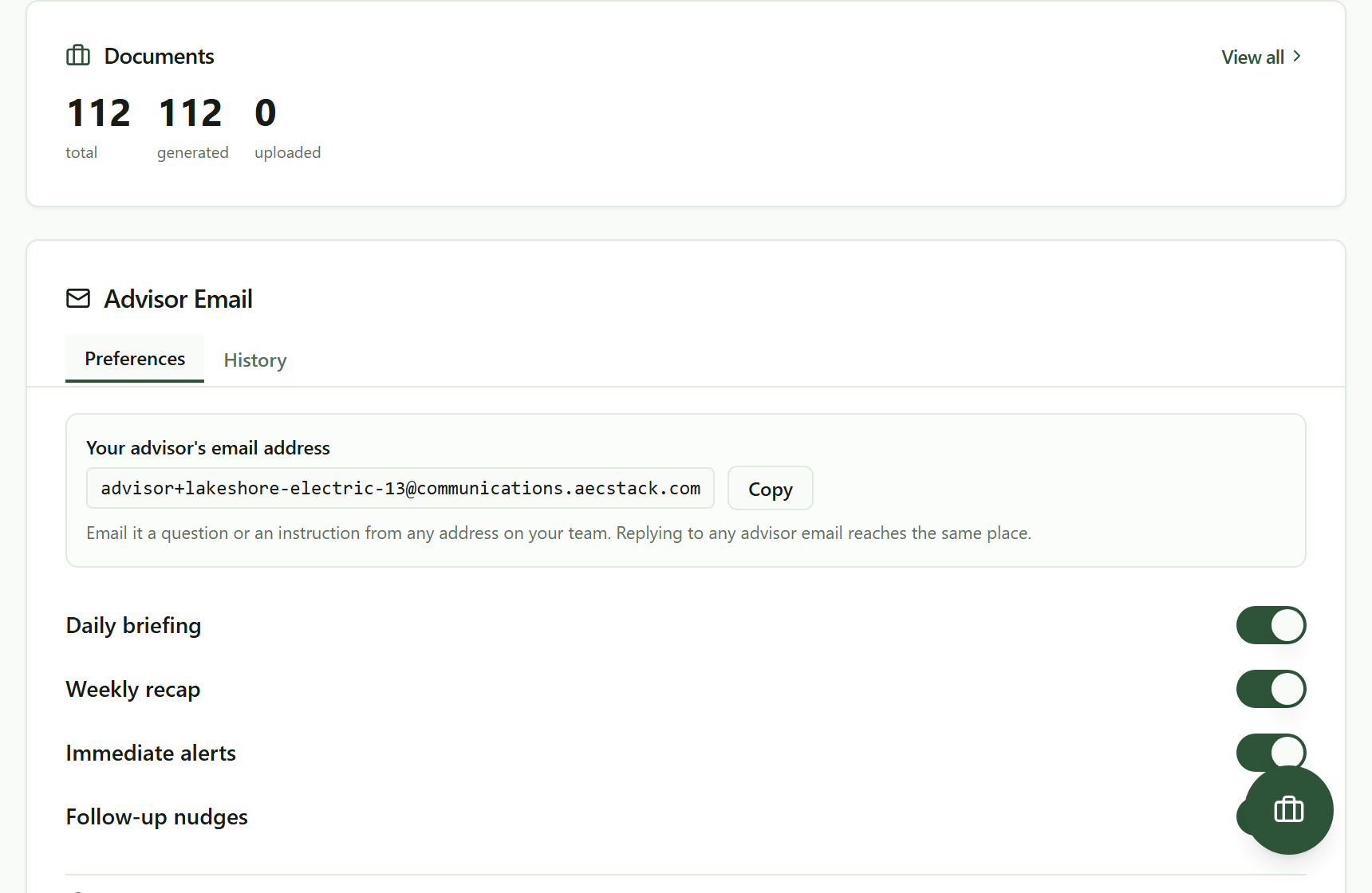 Your advisor has an address. Anyone on your team can write to it, and replying to any advisor email reaches the same place.
It is in HQ, under Advisor Email, and it is yours. Put it in your phone contacts under whatever you will remember.
Two ways in. Write to it cold, from the truck, from any address on your team. Or just hit reply on anything it has already sent you: the daily briefing, an alert, a nudge. Both land in the same place and continue the same thread.
Only people in your business can use it. An email from an address that is not a member gets rejected rather than answered. That matters more than it sounds: the address is not secret, it is in the reply-to of every email it sends, and the rejection is what stops that being a problem.
What comes back
Ask it something ordinary. Here is what "what invoices are outstanding right now, and which one is the most overdue" produced.
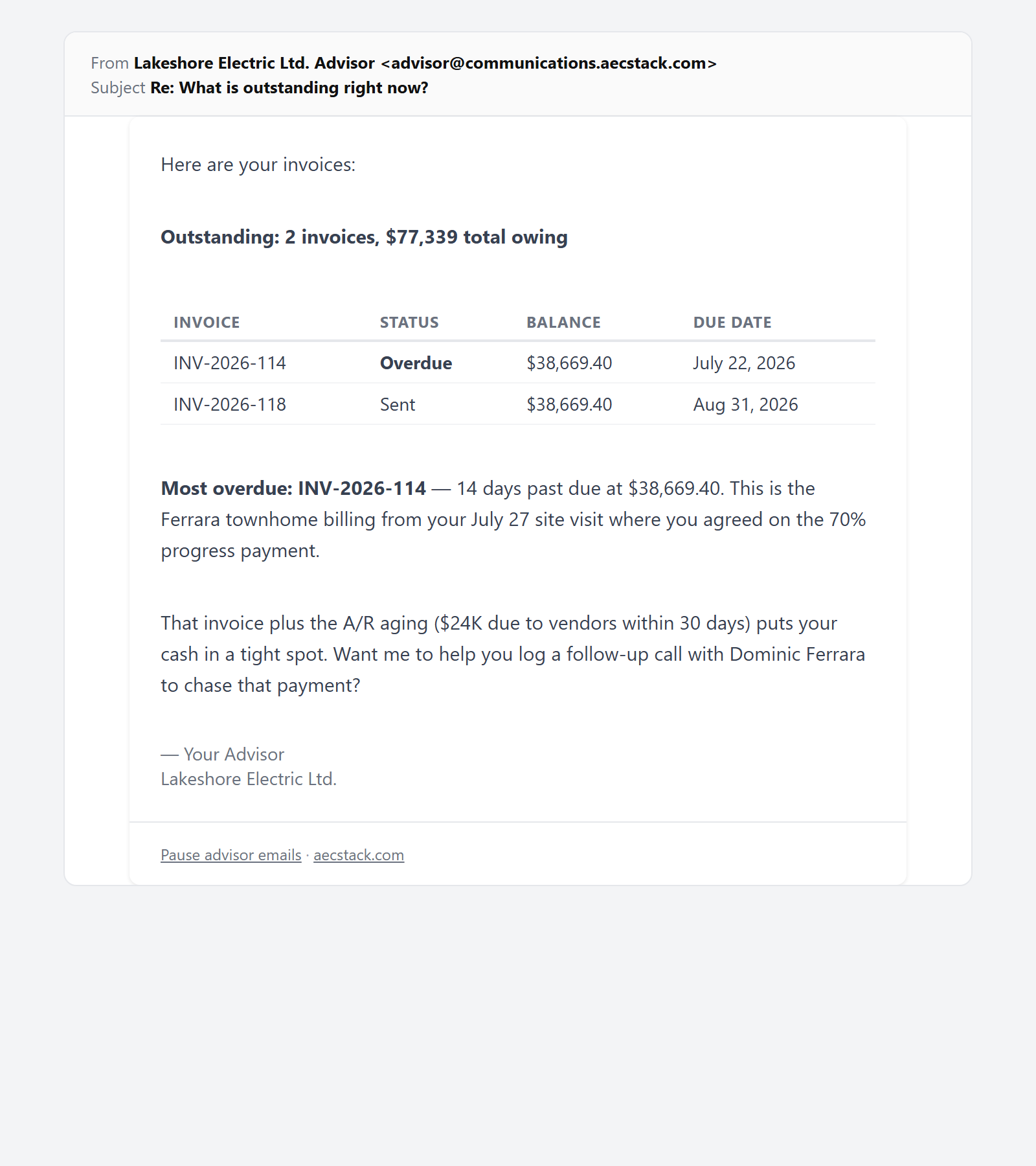 The answer, a few minutes later. It read the invoices, the job and the recent calls, and offered the next action.
Notice what is in there beyond the list. It named the most overdue one and counted the days. It connected the invoice to the job it came from. It picked up that somebody had already called Dominic Ferrara about that billing, from the interaction log. Then it offered to do the next thing rather than leaving you with a report.
That is the difference between this and asking a chatbot. It is not answering from general knowledge about construction. It is answering from your invoices, your jobs and your call log.
Three tiers, on purpose
Ask it to change something and it works in three tiers. The design is the point: you always know which one you are in.
Straight away. Log a call, add a contact, tag something, pull a list. Low risk and reversible, so it does it and tells you what it did.
After you confirm. Anything with weight gets described back to you first and waits for you to reply CONFIRM. You are approving a specific described action, not a general permission.
Not at all. Some things it will not do by email and sends you to the dashboard instead. That line exists so the answer to "can it do X by email" is never "it depends how you phrase it".
Attachments work too. Forward a supplier email with a PDF, or a list of contacts, and it reads the file rather than asking you to type it in.
The thread stays with the business
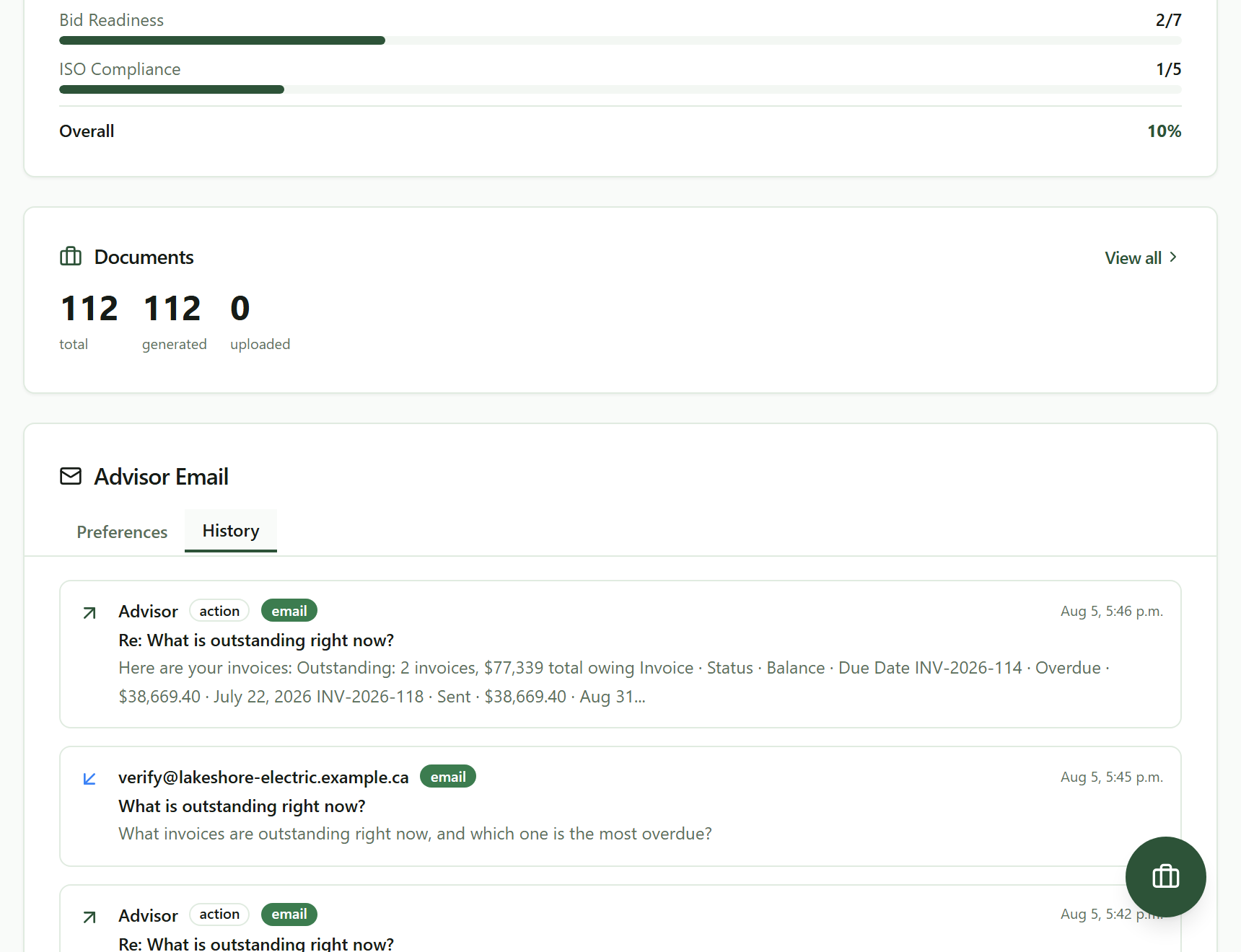 Every exchange is kept against the business, so the answer is on the record rather than in one person's inbox.
Every question and answer is kept against the business, not just in whoever's inbox happened to send it. When your partner asks what was decided about the Ferrara billing, it is on the record instead of in somebody's phone.
It also remembers within a thread. Reply "yes, do that" and it knows what that refers to, which is the whole reason this works from a truck.
What to trust it with
It is a model reading a snapshot of your business, and it is very good at that. It is not infallible.
For "what is outstanding" or "who have I not called back", take the answer. For anything you are about to act on with money or a deadline, open the screen and look. That is not a knock on it; it is the same rule you would apply to a good office manager reading you numbers over the phone.
It does not file anything with anyone, does not pay anything, and does not talk to your clients. Everything client-facing still leaves under your name from a screen you looked at.
What it costs
Commercial terms depend on the workflow. Review the relevant AEC Stack product page before you start.
If the briefings are too much, the same panel turns each of them off and can pause everything for a stretch. Turning it down is one screen, not a support ticket.
On AEC Stack: the numbers it answers with are the ones in did I make money this month, and the overdue invoice it keeps mentioning is the subject of what to do when a client will not pay.
Open the business workspace, find the current records that need attention, and send the next follow-up from the job where the answer matters.
Take this guide with you
The full write-up, every screenshot and clip, captions, and a machine-readable manifest in one zip. Share it with your office or hand it to whoever runs your socials.
Download the kitContinue reading