Ontario / Practical guides
Find every open construction tender in Ontario in one searchable list
Public tenders are scattered across MERX, Biddingo, Bids and Tenders and dozens of buyer portals, each with its own login. Get the live Ontario ones in one list: search the thing you build, read a record in a minute, and track a bid onto your pipeline board in one click.
Browse all Ontario guidesPut this into practice
Find relevant work
Explore opportunities and carry the right one into a pursuit.
Public construction work is the steadiest work in the province. Schools, arenas, pumping stations, road programs: all of it gets published, and any qualified contractor is allowed to bid. The work is not hidden. It is scattered. Ontario tenders live across MERX, Biddingo, Bids and Tenders, BuildingConnected, and dozens of individual buyer portals, each with its own login and, in some cases, a four-figure annual fee before you see a single closing date.
This page shows a different setup: one list of live Ontario tenders you can search like an inbox, read in plain language, and move onto your own pipeline board in one click. By the end of this page you will have that list open, know how to read a tender record in a minute, and be able to take a bid from found to chased without retyping anything.
How contractors describe the problem
Here it is in the words of the people living it. The subscription treadmill:
"I own a small civil works company and I do my own estimates. Im also the Supervisor, PM operator and Laborer. Ive hired a few people on an as project needed basis. I've had decent success. What websites for finding new projects do you find to be the most profitable? I found Databid, Building Connected paired with Bids and Tenders to be good. Also used merx for a bit. Do professional like you all scour the internet for tenders?"
The price of the standard tools:
"I am currently bidding on a few jobs and I have used Building Connected previously but they are trying to charge me $5000+ annually and i do not even have cash flow yet."
The fragmentation, bad enough that people build their own tools:
"I got tired of searching different sites and guessing the right keyword so I put together a simple search that combines tenders from merx and CanadaBuys."
A public list does not fix everything about bidding. It fixes the part where just seeing the work costs money and mornings.
See the live feed before you sign up for anything
Start with no login at all: the Find Work page carries a live strip of real permits and contract awards across Ontario, with the active count in the corner. The night these screens were captured it read 2,909 active signals.
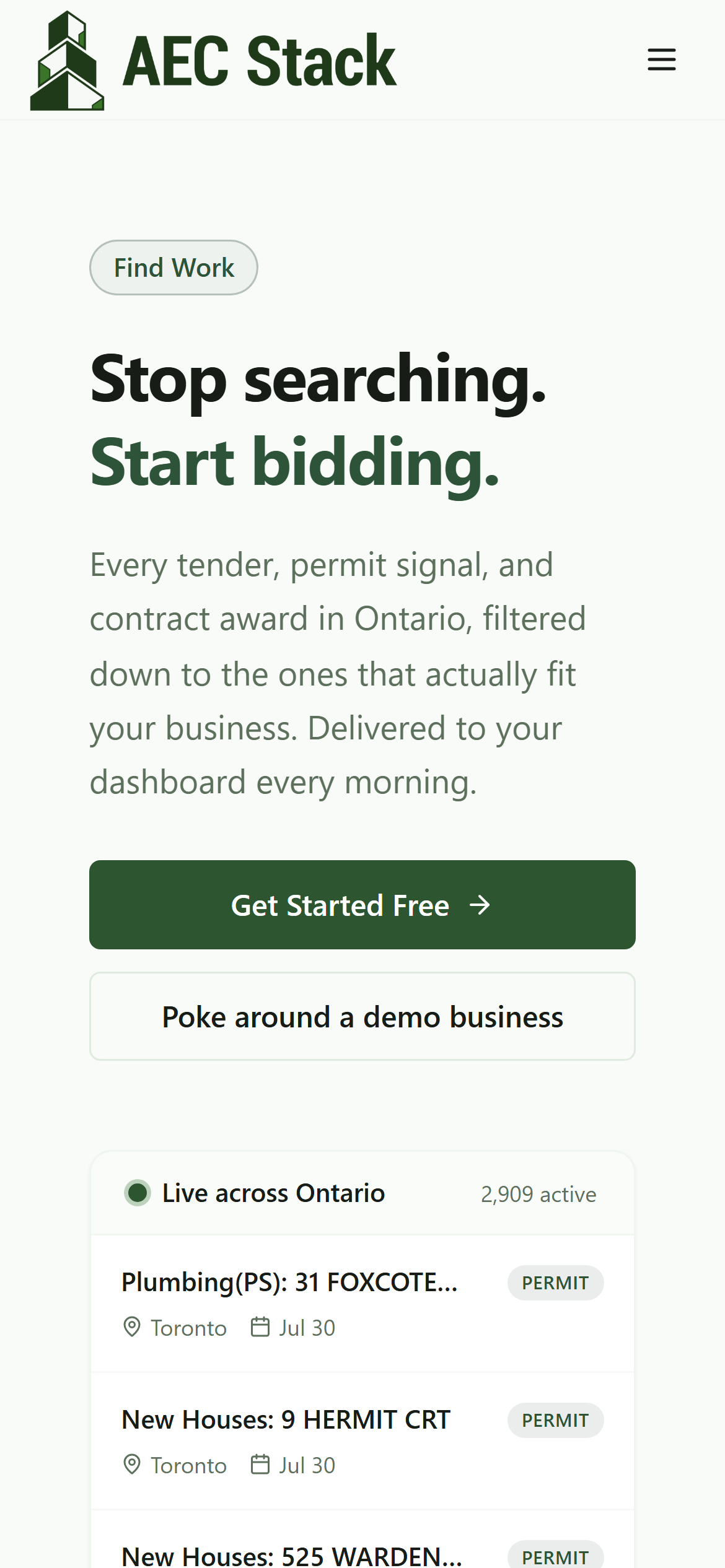 The public page carries a live strip of real Ontario signals before you ever make an account.
From there, Poke around a demo business puts you inside a complete sample contracting business in your trade in seconds: pipeline, invoices, the full tender feed. Nothing is filed anywhere, and an amber Demo business badge stays on screen. The screens below are that demo business, Lakeshore Electric Ltd.
One list instead of five subscriptions
Open Dealflow in the example workspace and you land on the Explore tab, set to Biddable now: open, unexpired construction tenders pulled from public sources across Ontario into one list. The day these screens were captured, that was 192 open bids.
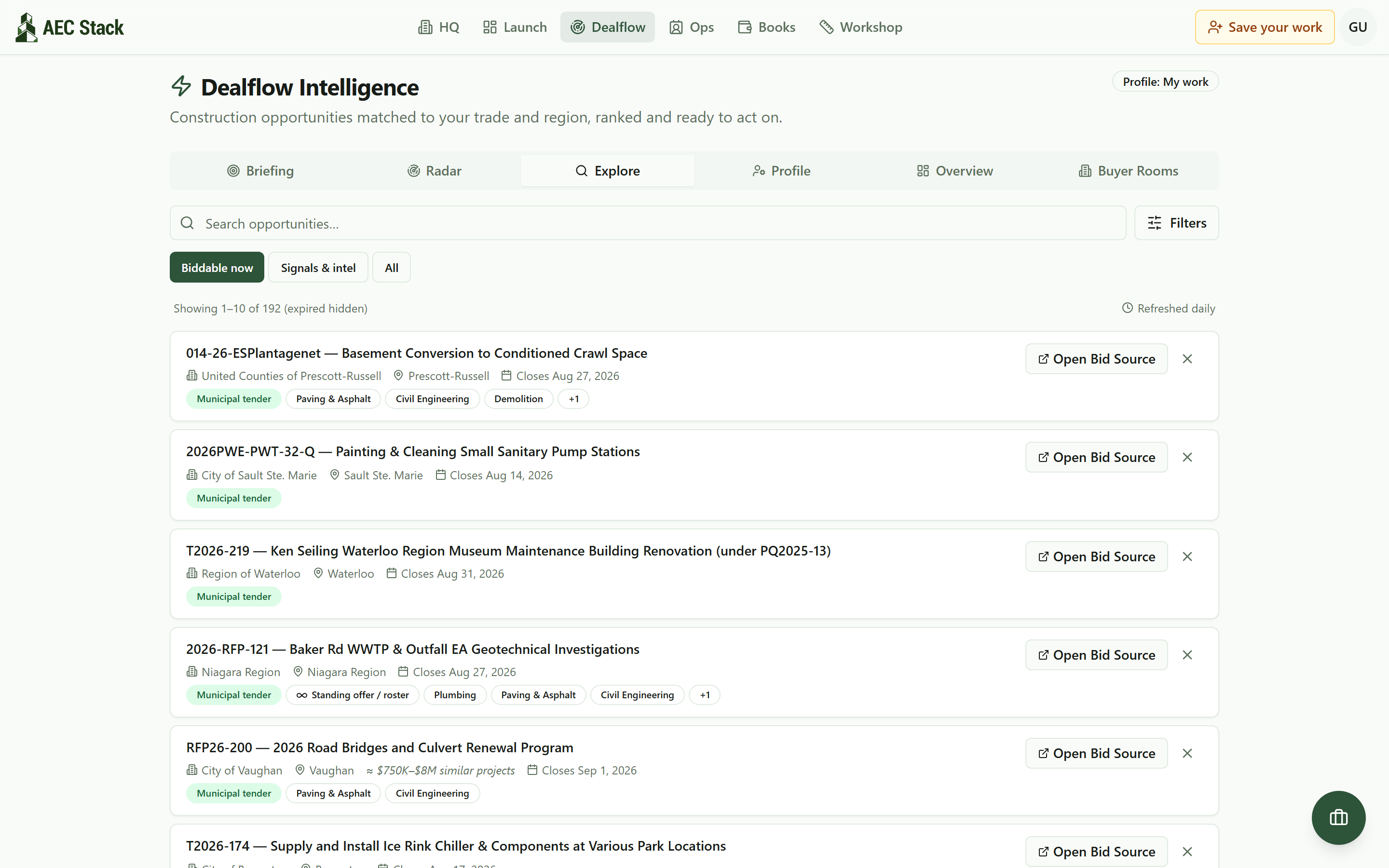 One list of open construction bids across Ontario, refreshed daily, expired tenders hidden by default.
Each row leads with the buyer, the city, the closing date, and the likely trades. Expired tenders are hidden by default, and standing offers and rosters carry their own badge so a perpetual arrangement never dresses up as a bid closing Friday.
Search it the way you actually think
Type roof and you get every live tender where a roof is the work:
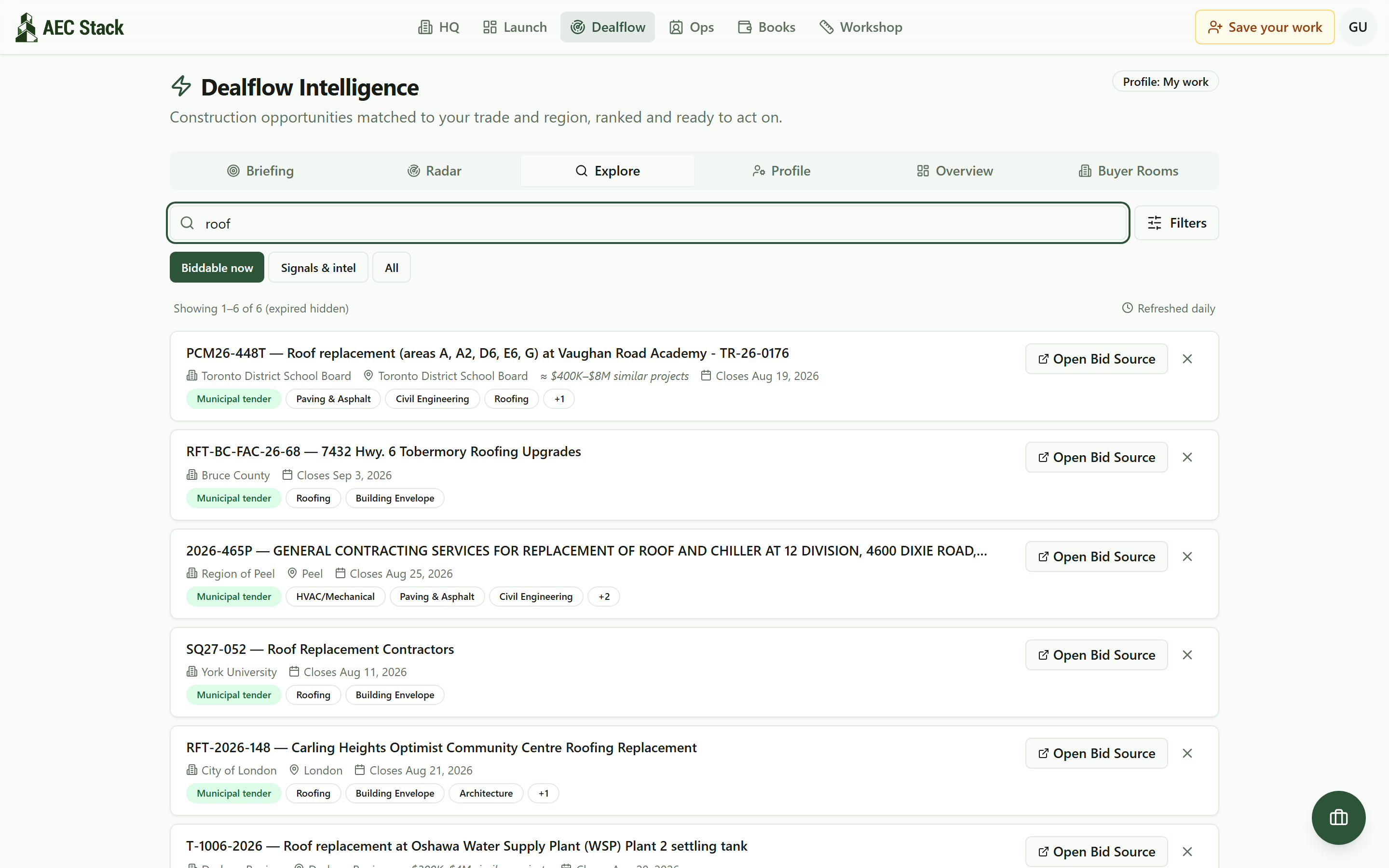 One word in the search box. Six live roofing tenders, every one an Ontario public buyer.
Six results, every buyer an Ontario public institution: a school board, two regions, a county, a university, a city. The italic figure on the school board row, roughly $400K to $8M, is what similar past work was valued at, shown where a buyer publishes no value and styled so it is never mistaken for the tender's own number. Filters adds a type, a city, a sort, and a match-my-profile toggle; active filters become removable chips.
Read the whole record in one minute
Click a row and the full record opens beside the list:
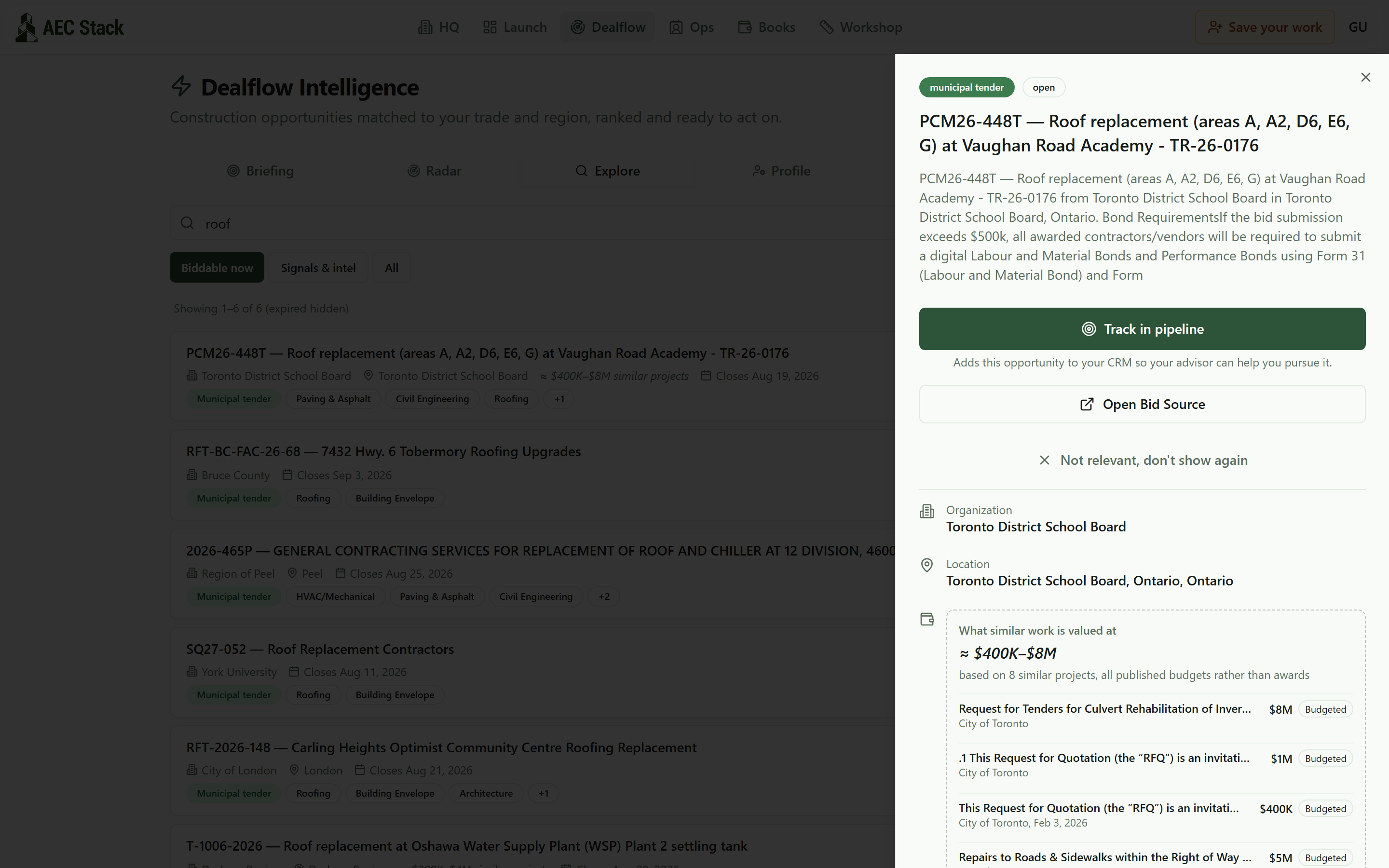 The full record: who is buying, when it closes, what it is in plain language, and one button to track it.
Top to bottom: the plain language summary (this one leads with the bond requirements, exactly what you want to know before giving it an afternoon), the buyer, the location, the dates, and the comparable band with its receipts: eight similar projects, each with its published budget.
Two buttons matter. Open Bid Source goes to the buyer's own portal, where bids are actually submitted: AEC Stack finds, filters, and organizes tenders, it does not submit your bid. Track in pipeline is the other one; it is the point of the whole page.
Tell it what you build, once
The list gets sharper when it knows who is looking. The Profile tab is a one-time form: trades, service types, target provinces and cities, minimum and maximum job size.
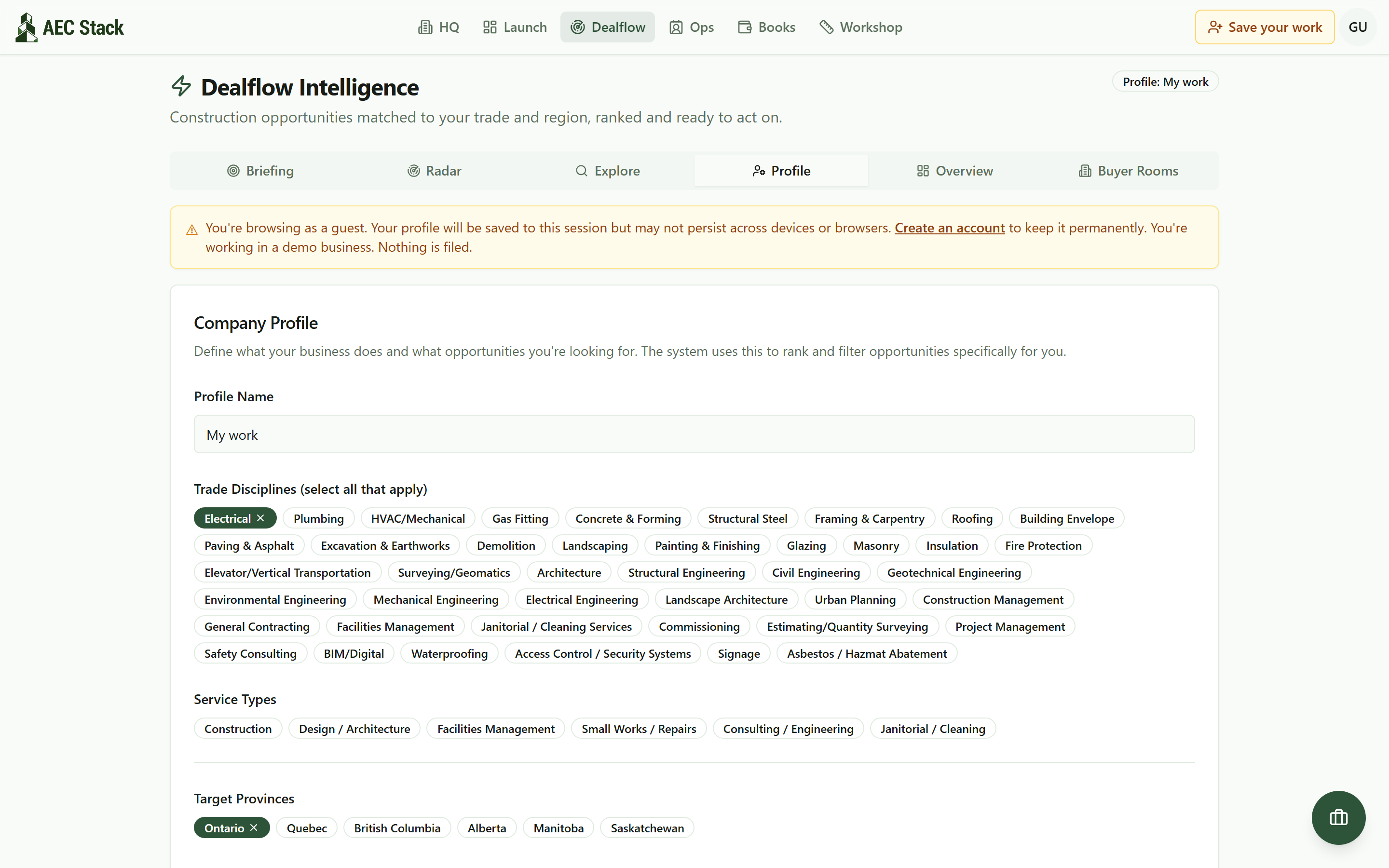 Tell it once: trades, provinces, cities, and job size. Matching and the briefing run off this profile.
It powers the Match my profile toggle in Explore, and in the Briefing tab it decides what gets analysed at all.
Let the briefing do the reading
If working a feed is one more job you do not need, the Briefing tab reverses it. Hit Refresh Briefing, give it a minute, and it comes back with the opportunities worth your attention, written up:
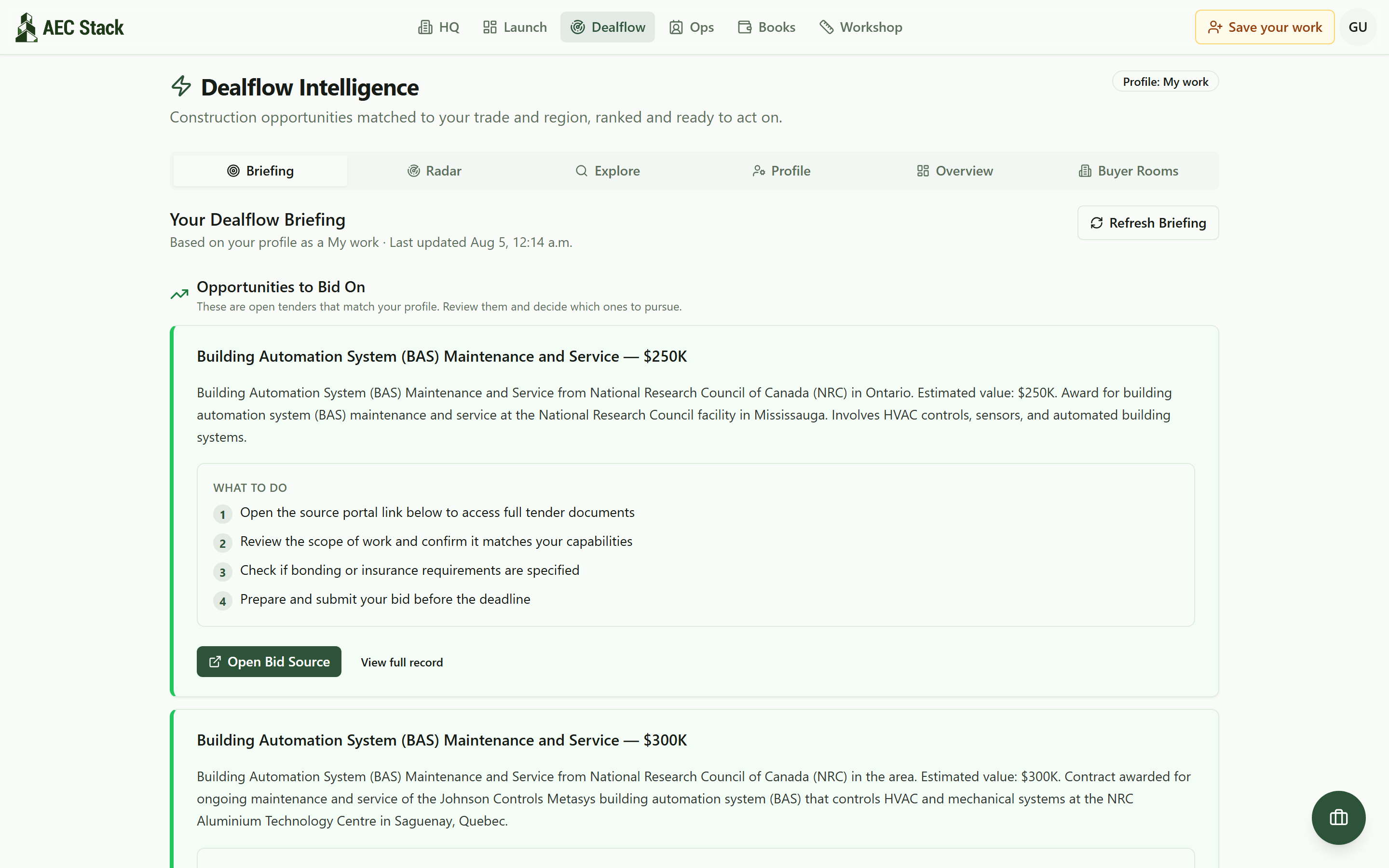 The Briefing tab reads the feed for you: what the opportunity is, what it is worth, and what to do next.
Each entry says what the work is, what it is estimated to be worth, then a numbered what-to-do list, from opening the source portal to checking bonding requirements before the deadline. The values are estimates and labeled that way. The decision stays yours.
From tender to your pipeline in one click
When a tender is worth chasing, Track in pipeline on its record turns it into a deal on your Ops board, title, value, and scope carried across:
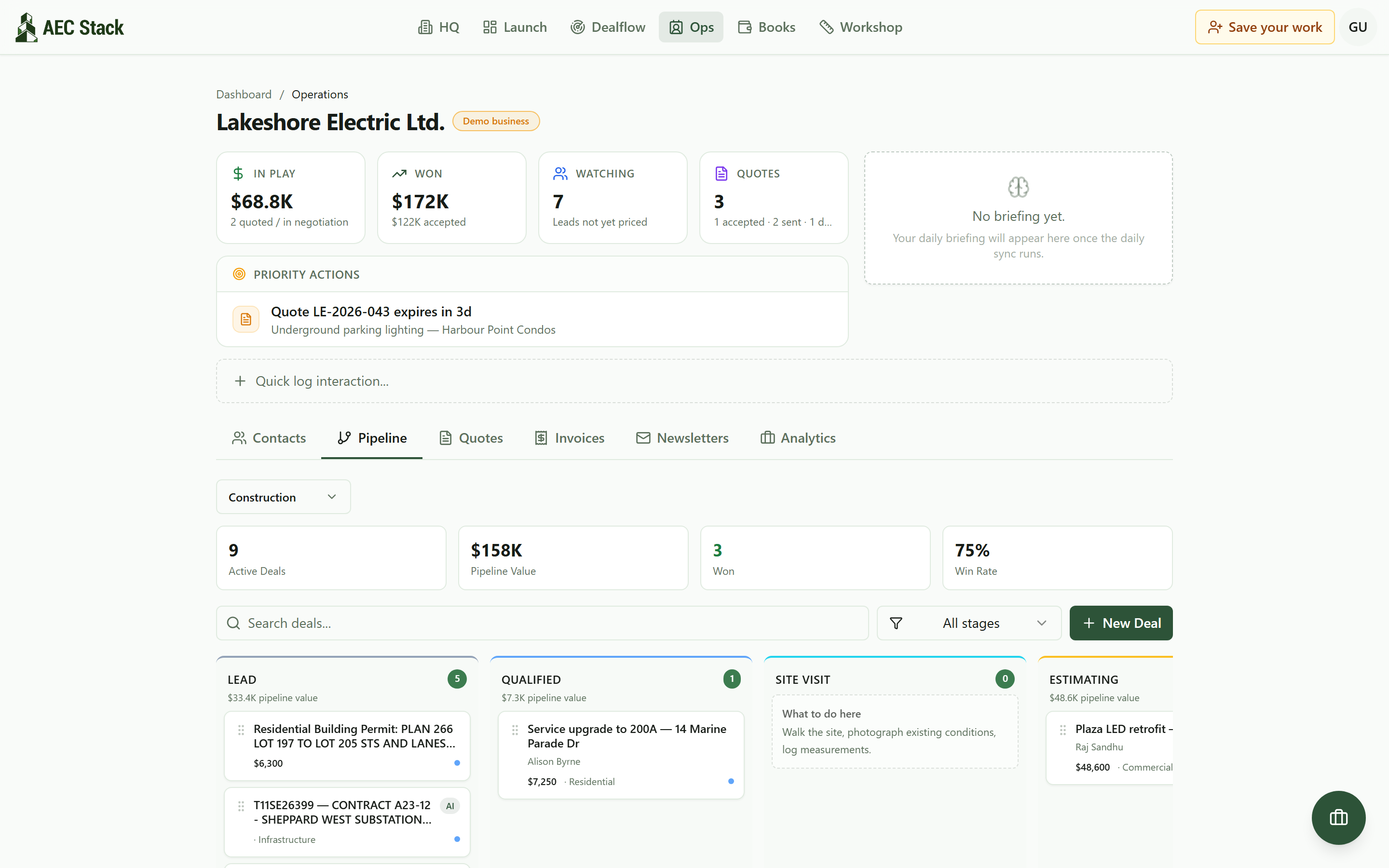 Tracked signals become deals on a board. The Lead column is where a tender starts its life as real work.
From there it lives with the rest of your work: stages, quotes, notes, follow-ups. That is the whole loop: found in the list, read in a minute, tracked in a click, chased like any other job.
What it costs
Browsing in the demo business is free, no forms. What you are searching is public procurement information, consolidated: these tenders were never anyone's to sell.
And be clear about what it is not: a bid-writing service. Scope review, bonding, and submission happen on the buyer's portal, under the buyer's rules. The approximate value bands are estimates built from similar past work, not the buyer's number. And in the Signals & intel view, permits and awards are public signals that work is starting, not job postings.
On AEC Stack: the permit and award side of this engine is public with no account at all on the placements feed: every card is an Ontario employer that just committed money to build something.
Start at Find Work: look at the live count, open the demo business in your trade, and search the thing you build. If the results surprise you, that is the point. The tenders were always being published; there was just no single place reading all of them for you.
Take this guide with you
The full write-up, every screenshot and clip, captions, and a machine-readable manifest in one zip. Share it with your office or hand it to whoever runs your socials.
Download the kitContinue reading