Ontario / Practical guides
When the GC says no to your extra
You found the condition, somebody nodded, and now the answer is no with the gear already installed. Raise the extra in writing, get a refusal with a reason attached, and answer that reason with a linked revision instead of starting again.
Browse all Ontario guidesPut this into practice
Build the offer
Connect the scope, price, assumptions, and client response in one working proposal.
There is a particular kind of sick feeling that comes with being told to take it out. You found the condition, you flagged it, somebody nodded, you did the work. Now the answer is no, the gear is installed, and taking it back out costs you a second time.
The way you stop losing that argument is to stop having it verbally.
The people this happens to describe it the same way
"Fast forward and I finished the job, handed her the bill and she's refusing to pay the additional fee. ... Is there anything I can actually do here? $500 feels too small for a lien or a claim but it doesn't feel right to me."
Subfloor rot, found mid-job, verbally approved on site. Five hundred dollars is exactly the amount that is too small to chase and too big to eat. The problem was never the price. It was that nothing about the approval survived the job.
Make them answer in writing, and give them three ways to answer
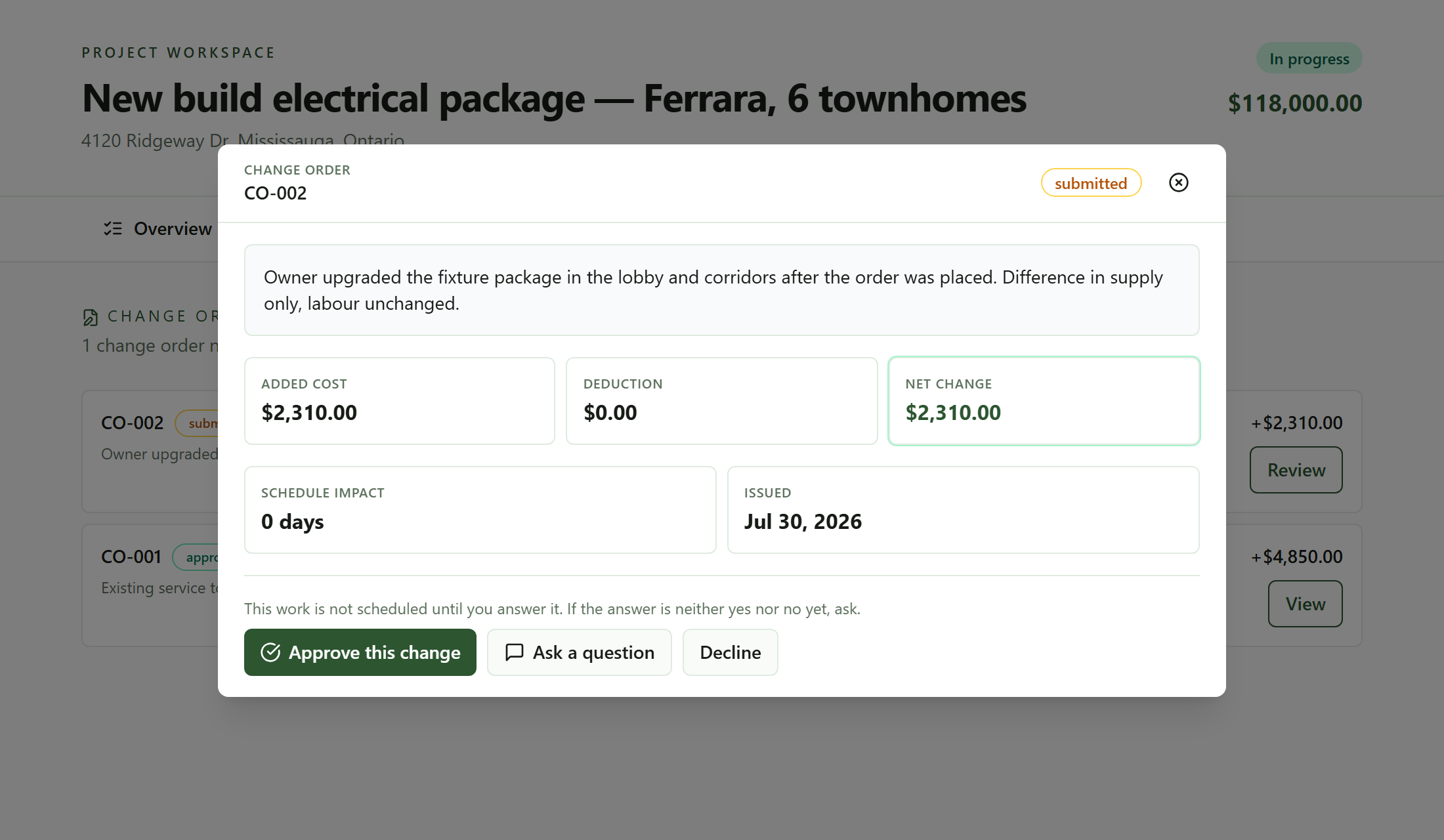 What the client gets. Three answers, not two, and a line telling them nothing moves until they pick one.
The extra goes out as its own document, with the money, the days and the scope on it, and the client answers it on a page of their own. Approving takes a signature. Declining takes a reason. And there is a third button, because on a real site the first response to an extra is usually a question, not an answer.
That third button is the one that keeps the record intact. Without it, "hang on, what's this for?" moves the whole conversation to email and the change order sits there looking ignored. With it, the question lands on the change order, you answer it there, and the document is still the document.
The line above the buttons does quiet work too: this work is not scheduled until you answer it. That is the sentence that gets an answer out of a busy super, and it is the sentence you want in front of them long before anybody installs anything.
A no comes back with a reason attached
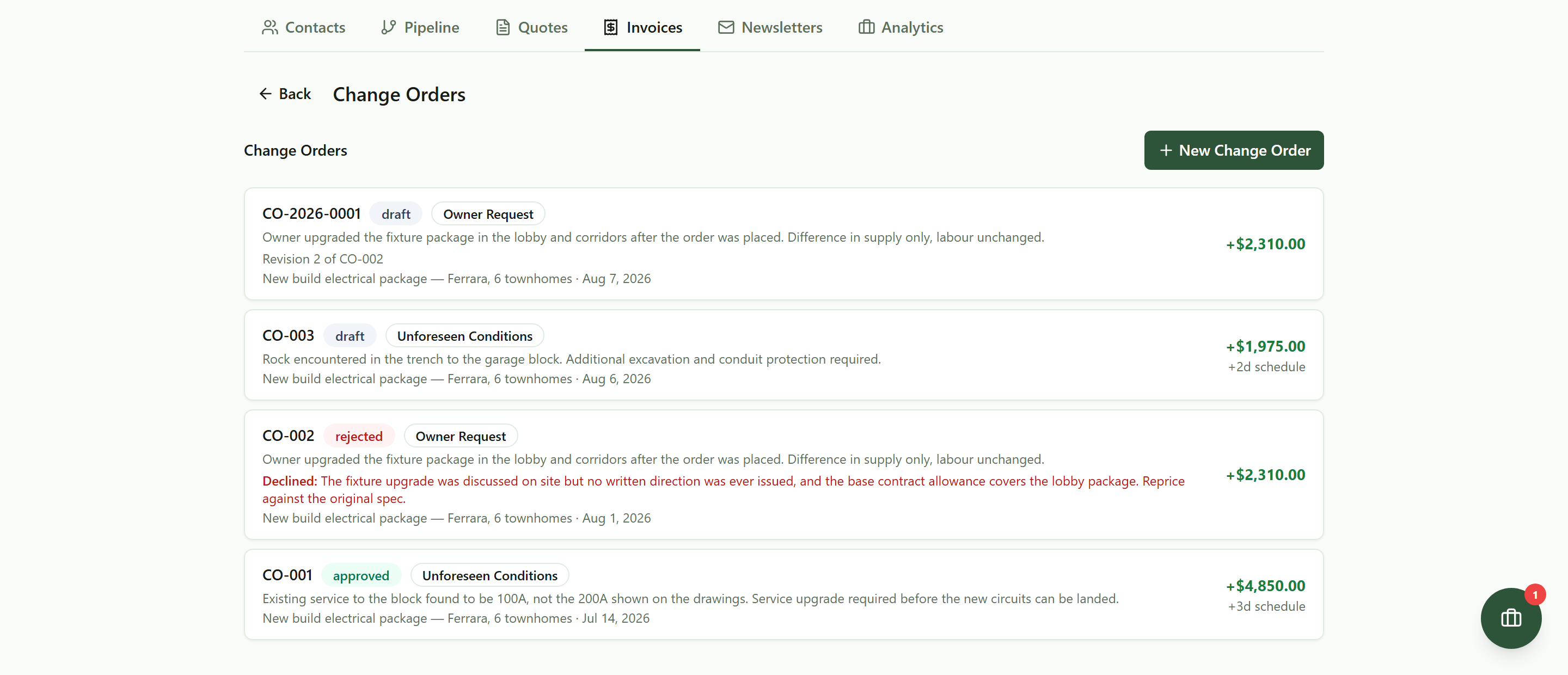 A declined extra does not disappear. The client's reason sits on the card in their own words, and the revision above it says what it replaces.
A declined change order stays on the job where you can see it, with the client's own words on the card. That matters more than it sounds like it should, because most of the time a no is not really a no. Read that one again: the base contract allowance covers the lobby package, reprice against the original spec. That is not a refusal to pay. That is a man telling you which pot the money should come out of.
You cannot hear that if all you got was "no".
The whole argument, in order, with times on it
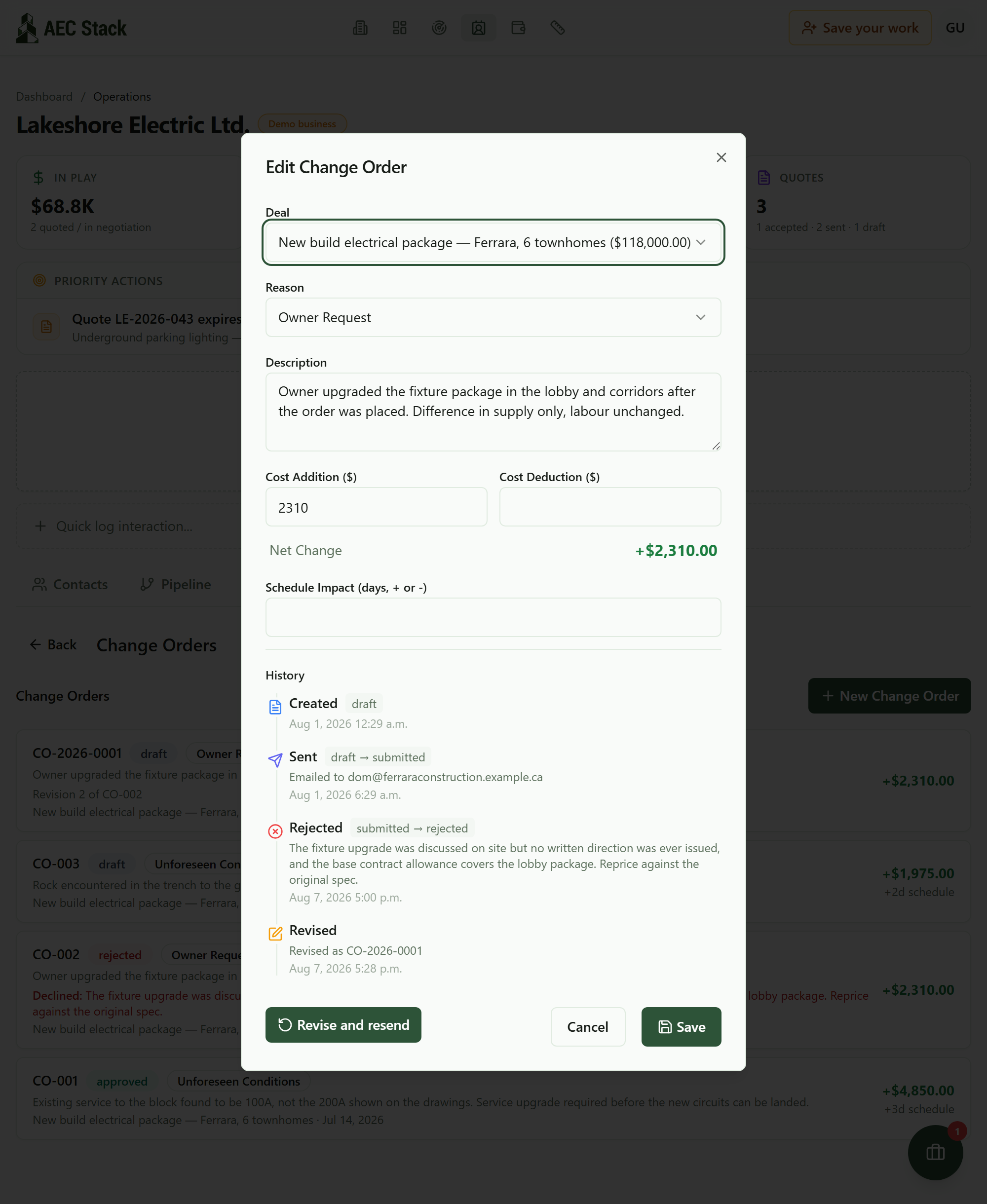 Raised, sent, to whom, refused, and revised. Each step carries the time it happened, and the refusal carries the client's own words.
Raised. Sent, to a named person at a named address. Refused, with the reason. Revised. Every line stamped with the time it happened, building itself as you work.
This is the thing that changes the tone of the conversation at month end. You are not saying "I'm sure we discussed this." You are saying "it went to Dom on the 1st, he came back on the 7th, here is what he said." That list is not your account of events. It is the events.
Then answer the objection, instead of starting again
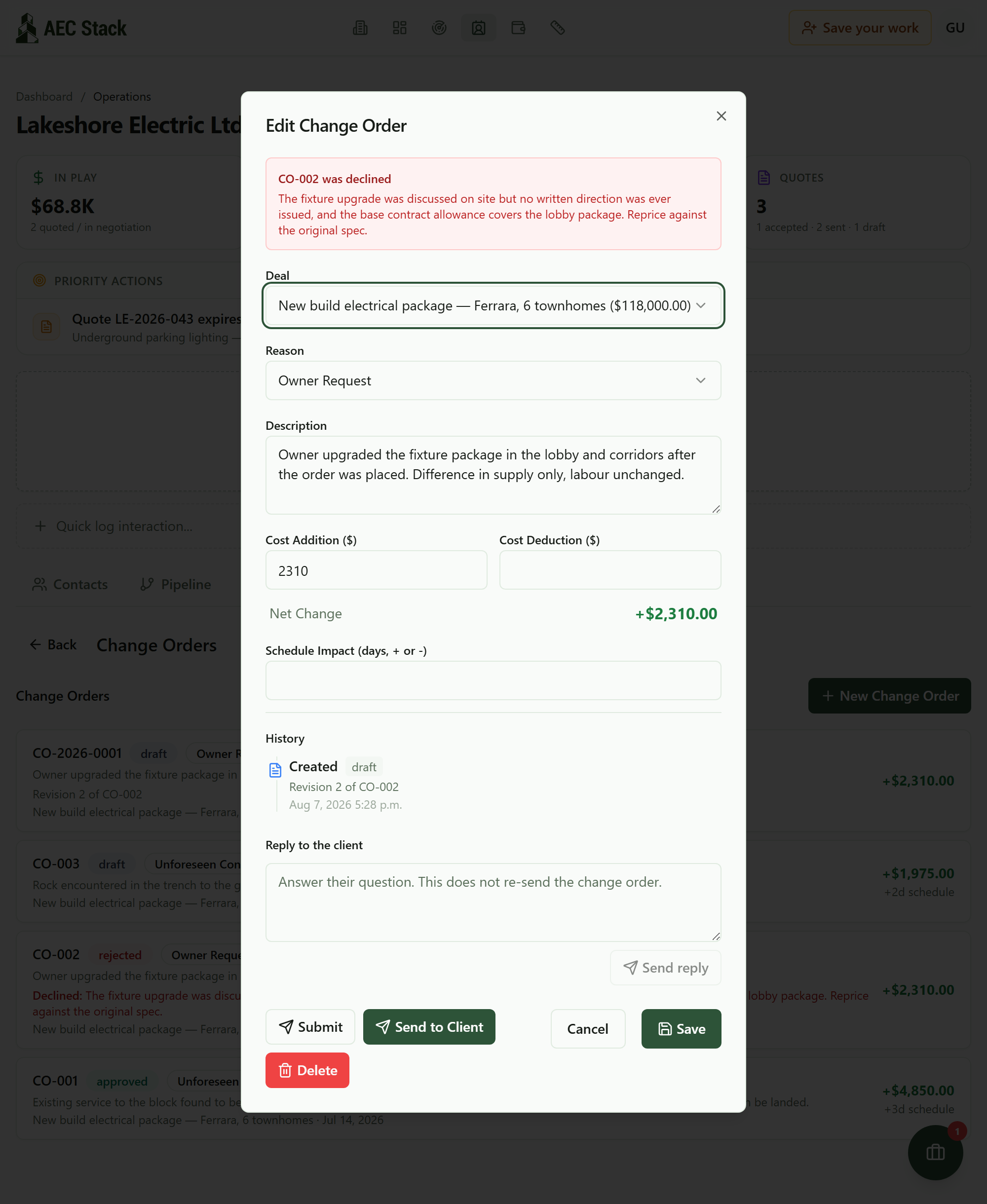 The revision opens with their objection at the top and the scope, the money and the days already in the form. You are answering a specific complaint, not starting again.
Revise and resend opens the next version already carrying the scope, the money and the days, with their objection sitting at the top of the form in red while you edit it.
Both ends stay linked. The revision says which change order it replaces. The declined one says where the argument went next. Six months later, nobody has to reconstruct which of four similar-looking extras was the one that got settled.
And the revision is a real second attempt, not a resend. Reprice against the original spec, hold the number and answer the allowance point, split it into the part they will accept and the part they will not. What you cannot do usefully is send the same thing again, which is exactly what happens when the software makes you start from a blank form and the objection is three screens away.
The habits that go with it
Raise it before you touch it. The extra takes about a minute to write. Dismantling installed gear takes a day.
Put the days on it, not just the money. Schedule impact is the field you leave at zero when you are in a hurry, and it is the one that stops an extra being treated as free. Two days is two days whether or not anybody priced them.
Send it to a person, not to "the office". The record shows the address it went to. That is the difference between chasing a company and reminding a named individual what they have had since Tuesday.
Treat a question as good news. Somebody asking what a line covers is somebody thinking about paying it.
Keep the declined ones. A rejected extra with the reason on it is evidence of the condition, evidence of when you raised it, and evidence of what they said. Whatever happens next, that is what it rests on.
And the fee only lands after you are paid
Commercial terms depend on the workflow. Review the relevant AEC Stack product page before you start.
On AEC Stack: the mechanics of raising and pricing one are in change orders that get paid for extras. If it is approved and still unpaid, the ladder is when a client will not pay. What to put in the number is what an hour costs you.
Next time you find something on site, write the extra before you pick up a tool. It takes a minute, and it moves the entire argument onto ground where you cannot lose it by remembering wrong. The demo business has three change orders on it, one of them declined and revised.
Take this guide with you
The full write-up, every screenshot and clip, captions, and a machine-readable manifest in one zip. Share it with your office or hand it to whoever runs your socials.
Download the kitContinue reading