Ontario / Practical guides
Get WSIB sorted before a builder turns you away at the gate
WSIB is the paper a site asks for before it asks anything else. See where it sits in your setup, what the clearance certificate costs before you meet the bill, and where the account number lives so you can answer the next general contractor who asks in under a minute.
Browse all Ontario guidesPut this into practice
Start with your business
Organize formation, standing, and the records that let the business operate.
In Ontario construction, WSIB is the paper a site asks for before it asks anything else about you. Come to it backwards and the order runs like this: you incorporate, buy the tools, line up a first job, and find out at the gate that coverage was expected long before you got there. The rules about who has to register are genuinely hard to read, and the people giving conflicting answers include accountants and WSIB's own phone line.
This page shows where WSIB sits in the rest of your setup, so it stops being the thing you discover late. By the end you will know where the two WSIB steps sit alongside everything else your business needs, what the clearance certificate costs before you meet it, and where your WSIB account number lives once it arrives instead of being buried in an email. What you will not get here is a ruling on whether you personally must register. That question belongs to WSIB, and this guide points you at them rather than guessing on your behalf.
How contractors describe the problem
These are real posts from people who found out the hard way:
"Being business noobs I had no idea WSIB was mandatory and even if it wasn't all builders ask for it."
The same poster phoned WSIB and posted what he was told. Read it as one contractor's account of one phone call, because that is all anyone reading it can know:
"If you're doing service work and getting paid by the home owner you don't need WSIB. You need it legally as soon as you step on a job site."
Checking an answer like that against the source material is its own job:
"I'm a pretty savvy guy but I find a lot of confusing info on their site, even though there's 1000's of charts, articles and sections."
Then the premium itself surprises people. Here is a sole proprietor describing the bill he says he gets:
"For example if I bill 1000 for a job. I bought a new tool some nails and fuel expenses which totaled 300. I pay wsib on the full 1000 i billed. I can't understand the reasoning for this and it just seems to make sense to incorporate even if I only were to bill for 50000 in a year."
Every one of those threads treats WSIB as a toll booth standing between them and the tools. The worst part of it is not knowing the toll until you are already at the barrier.
Where WSIB sits in the rest of your setup
The launch dashboard counts your whole setup in one place. In the demo business below that is 48 actions, and Provincial Registrations, the stage WSIB lives in, holds three of them.
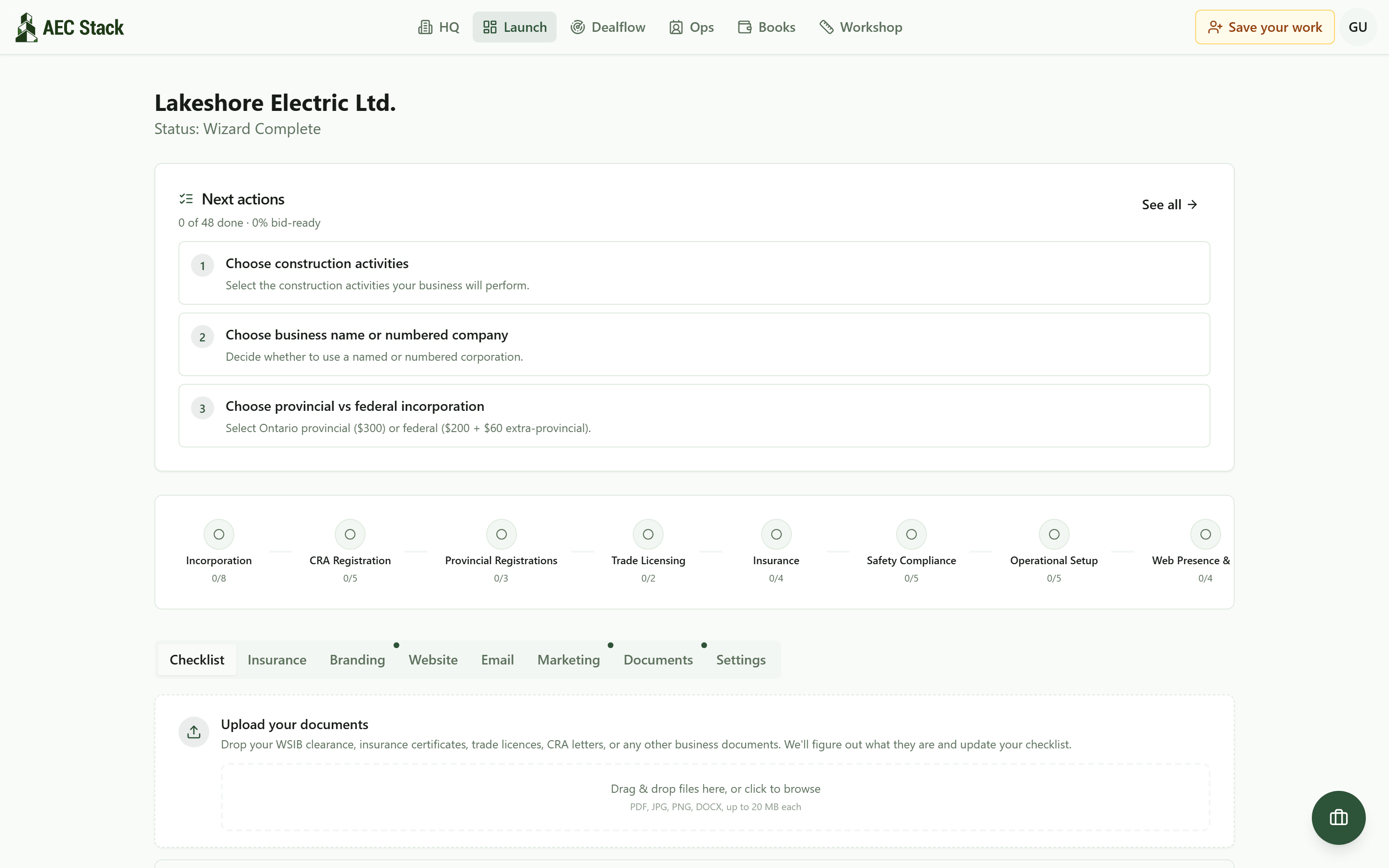 WSIB is counted here as steps inside Provincial Registrations, alongside everything else your setup needs.
So WSIB stops competing for space on a sticky note with the CRA business number and your trade licence. It sits in the same list, with a status on it, until it is done.
WSIB is separate from the incorporation
If you are starting from nothing, the order matters, because everything else attaches to a corporation that has to exist first. The review screen of the incorporation wizard says so in plain words: the filing on that screen is the Articles of Incorporation, and the other registrations, CRA business number, WSIB, trade licences, come afterwards, and you run them from the dashboard.
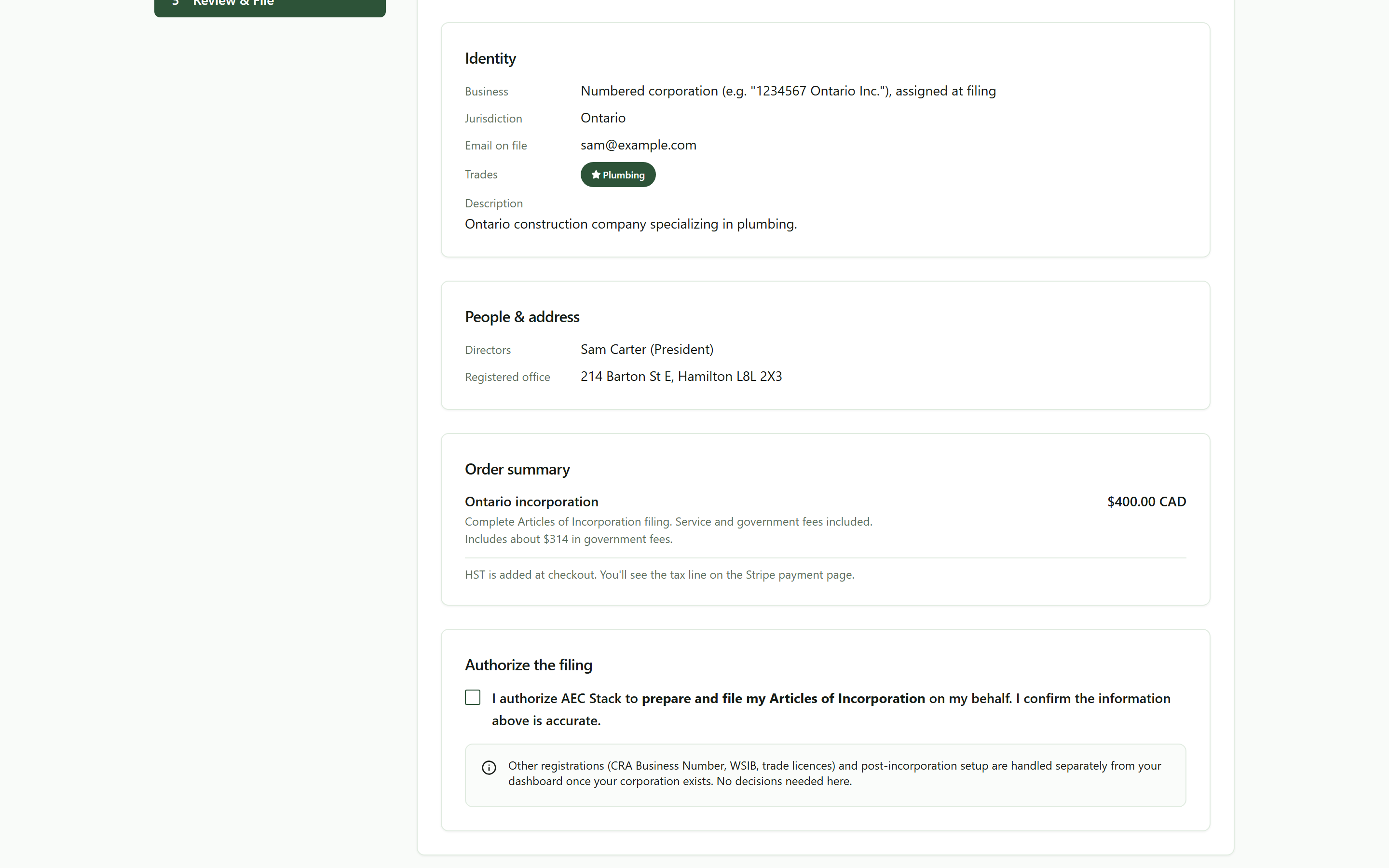 Incorporation is what gets filed on this screen. WSIB, CRA, and licensing run from your dashboard once the corporation exists.
Worth reading that note twice if you have been told a package will "take care of everything". Incorporation is one filing. WSIB is a separate registration with WSIB, and it stays a separate line on your list until it is finished.
The two WSIB steps, with the cost named up front
Open Provincial Registrations on the checklist and the WSIB work is two rows in the order you meet them.
First, Register with WSIB. That row carries an outbound link to WSIB's own registration page, because the registration happens at WSIB, with WSIB, under WSIB's rules. No software stands between you and that.
Second, Get initial WSIB clearance certificate, the document a builder actually asks to see. That row carries its price on a badge: $250, described on the row as an advance applied to premiums. Naming it there is the point of the row. It is the cost you would otherwise meet at the till, which is the complaint running through the threads above.
The third row in the stage is Register for Employer Health Tax (if applicable), which the row says is required if payroll exceeds the exemption threshold.
Put the account number where you can find it again
When WSIB writes back with your account number, it lands in an inbox and then it is gone. The Reference Numbers panel on the launch dashboard is where it stops being lost. Click the WSIB Account field, type the number, and the format hint sits right under the box: seven digits.
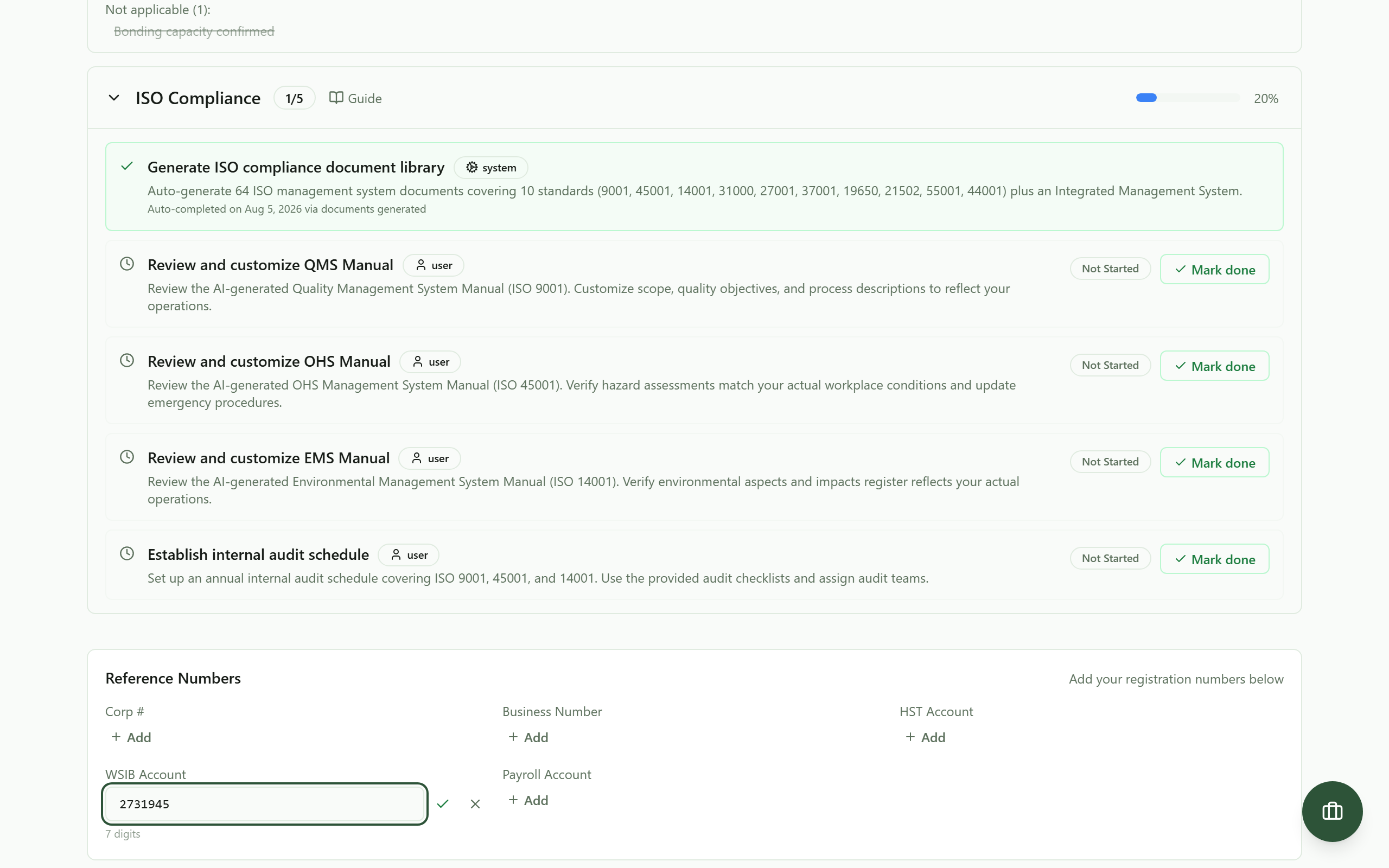 When WSIB emails your account number, it goes in one field, once, with the format hint right under it.
Saved, it sits in the same panel as the fields for your Corp number, business number, HST account, and payroll account, so the next time a general contractor's office asks for "your WSIB number" you are reading it off a screen instead of searching mail from eight months ago.
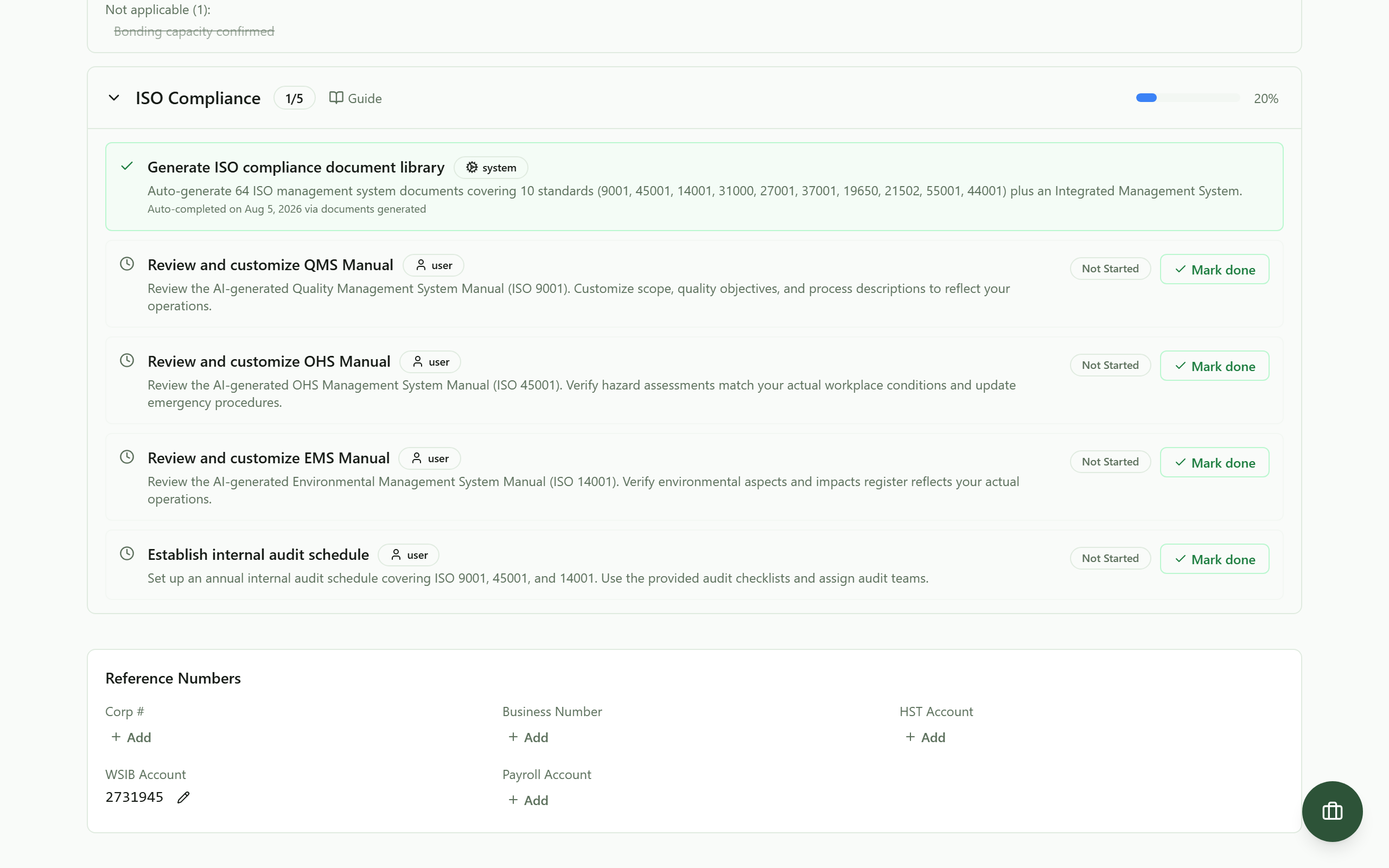 Saved. The number now lives on your business record, in the same panel as the other numbers people ask you for.
It works the same from a phone, which is where you will be standing when the letter arrives:
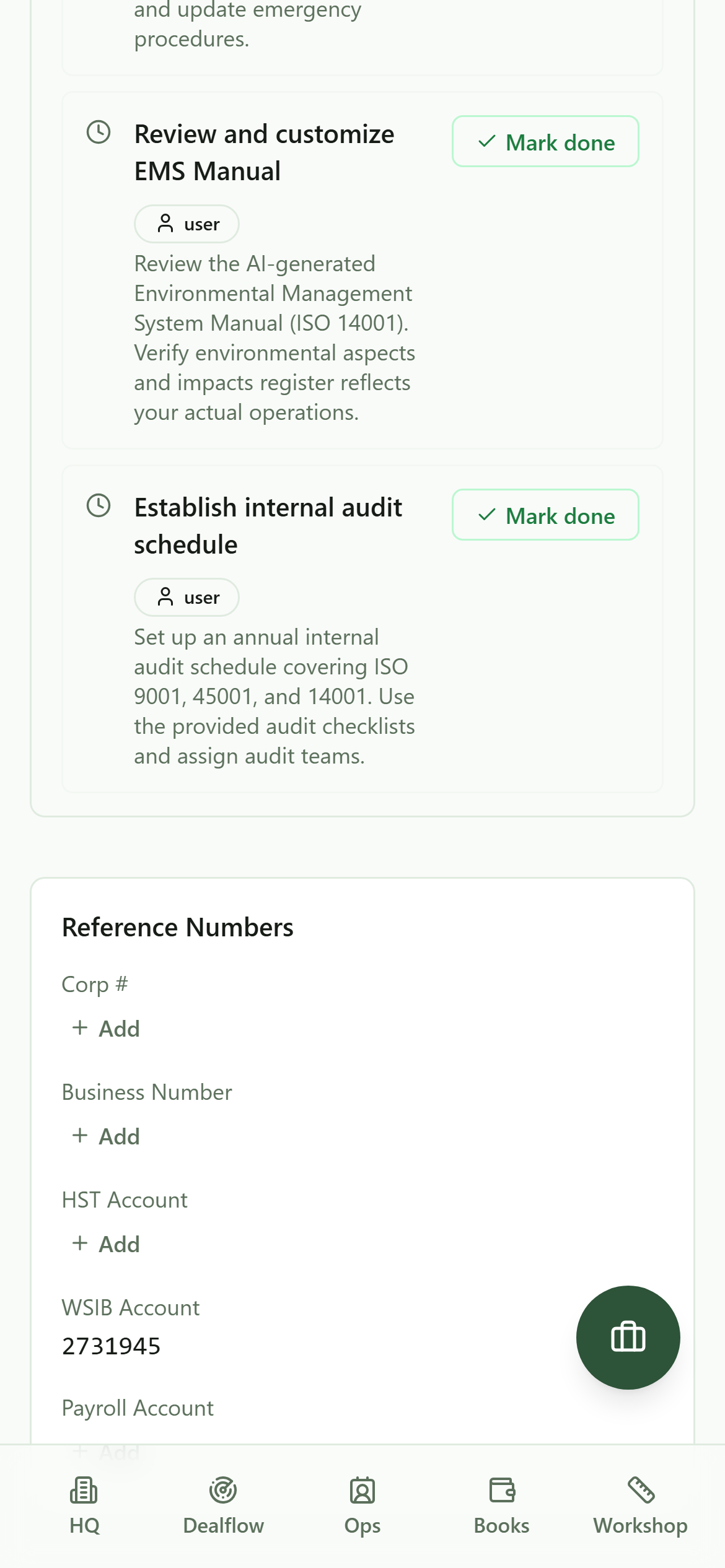 The same panel on a phone. Add the number from the truck the day the WSIB letter lands.
What it costs
Commercial terms depend on the workflow. Review the relevant AEC Stack product page before you start.
That $250 on the clearance row does not go to us. It is what the row names as an advance applied to your premiums, and it is paid where the registration happens.
Who to ask about your own situation
Read the quotes above again. One contractor got his answer from WSIB's phone line, a second could not get a straight one off WSIB's own site, and a third says he pays on money he never kept. Their accountants, WSIB's phone line and the policy pages do not agree with each other.
That disagreement is real, and knowing it exists is worth something: it means you should not accept the first answer you are given, including from a forum. Whether your situation makes you an independent operator, whether a hirer's questionnaire can pull you in as someone else's worker, and what your premium is reckoned on are WSIB's to answer about your business, and worth an hour with an accountant who works with trades.
What this back office does is keep the steps visible, name the cost before you hit it, and hold the number afterwards, so that when you do get the right answer you never have to go looking for it again.
On AEC Stack: once you have the clearance certificate, drop the PDF into the upload zone on the same dashboard. It takes WSIB clearances, insurance certificates, trade licences, and CRA letters, works out what each document is, and updates your checklist, so the paper you were sent is filed where the next person asking for it can be answered in a minute.
Start at the launch dashboard and open Provincial Registrations. If you do not run your business on AEC Stack yet, open the demo business and look at those three rows, with the clearance certificate's $250 sitting on the one that costs money. Getting turned away at a gate is expensive in a way no premium is: the job goes to whoever had their paper ready.
Take this guide with you
The full write-up, every screenshot and clip, captions, and a machine-readable manifest in one zip. Share it with your office or hand it to whoever runs your socials.
Download the kitContinue reading